This following section covers the reference data that is related to Ontrack Staff Hub:
 Register Usage Codes
Use the Register Usage Codes reference data to manage the values that are used by staff to mark registers. There are three different mark types that hold usage codes:
- Learner
- Staff
- Room
The Learner mark type differs slightly from that of the Room and Staff types.
Room and Staff mark types are the same except they do not have a Positive Attendance or a Positive for EMA fields but are not relevant to users of Ontrack Staff Hub.
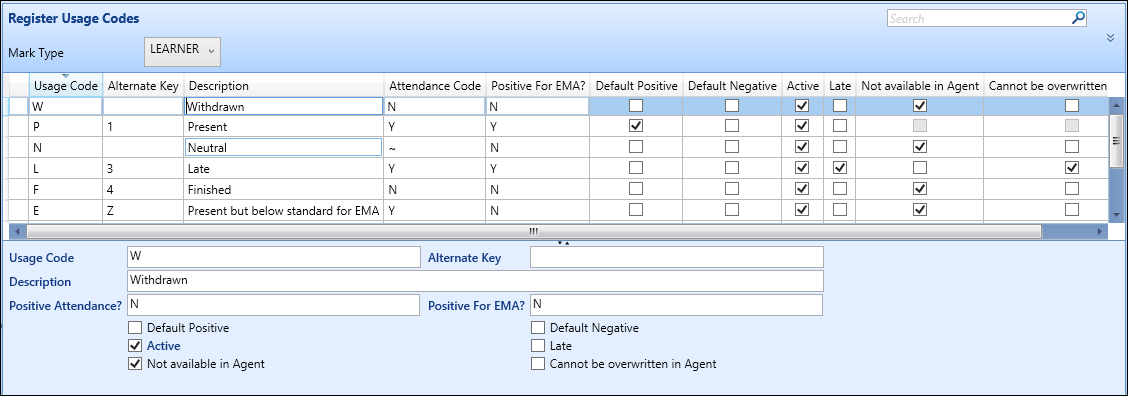
The fields on the Register Usage Codes screen for learners are described in the following table.
| This field | Holds this information... |
|---|---|
| Usage Code | The usage code used when marking a learner's attendance. |
| Alternate Key |
The alternate key that can be used for the usage code. Important.This functionality is not applicable to Ontrack Staff Hub.
|
| Description | The description of the usage code. |
| Positive Attendance? |
Whether the usage code is positive or not. Select from the following options for this field:
|
| Default Positive | Whether this is the default positive mark. This usage code will be applied when using the one-select marking in Ontrack Staff Hub. |
| Default Negative | Whether this is the default negative mark. This usage code will be applied when using the one-select marking in Ontrack Staff Hub. |
| Active | Whether the usage code is active or not. |
| Late | Whether the usage code is for a late mark. Enabling this setting allows you to set late minutes on a register in Ontrack Staff Hub. |
| Not Available in Agent | Excludes the usage code from being used in the Mark drop-down list in Ontrack Staff Hub. |
| Cannot be overwritten in Agent | If set, these values cannot be changed (that is: are made read-only in the Mark field) when they are used to mark eRegisters on the Mark Register page. |
| WAL Positive for EMA? | Whether the field is positive for the EMA. |
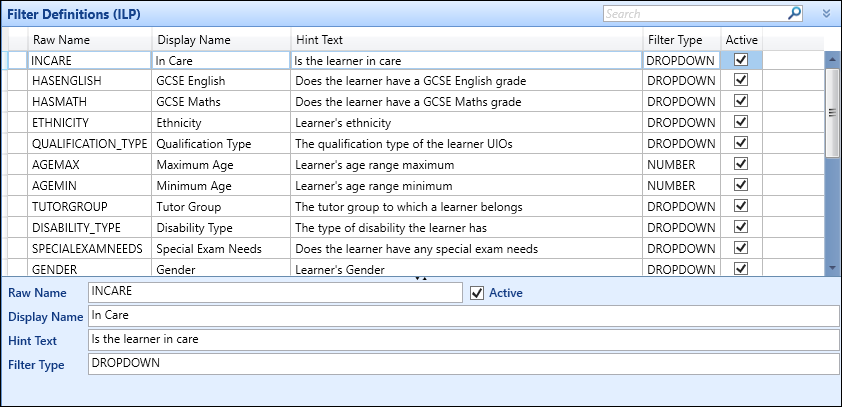
Filter Definitions (ILP)
Use the Filter Definitions (ILP) screen to define definitions that users can select from them when creating cohort groups for the ILP.